
Before you begin: install the analyzer and have a FITS observation ready, or fetch one with the built-in e-CALLISTO downloader.
Prepare the spectrum
Start with an observation containing a clearly identifiable drifting feature. Inspect the raw data and apply suitable background subtraction. Keep a saved project before modifying the selection.
Isolate one lane
Use the burst-isolation lasso to follow the selected emission lane. Avoid combining a fundamental and harmonic branch or neighboring bursts in one fit.
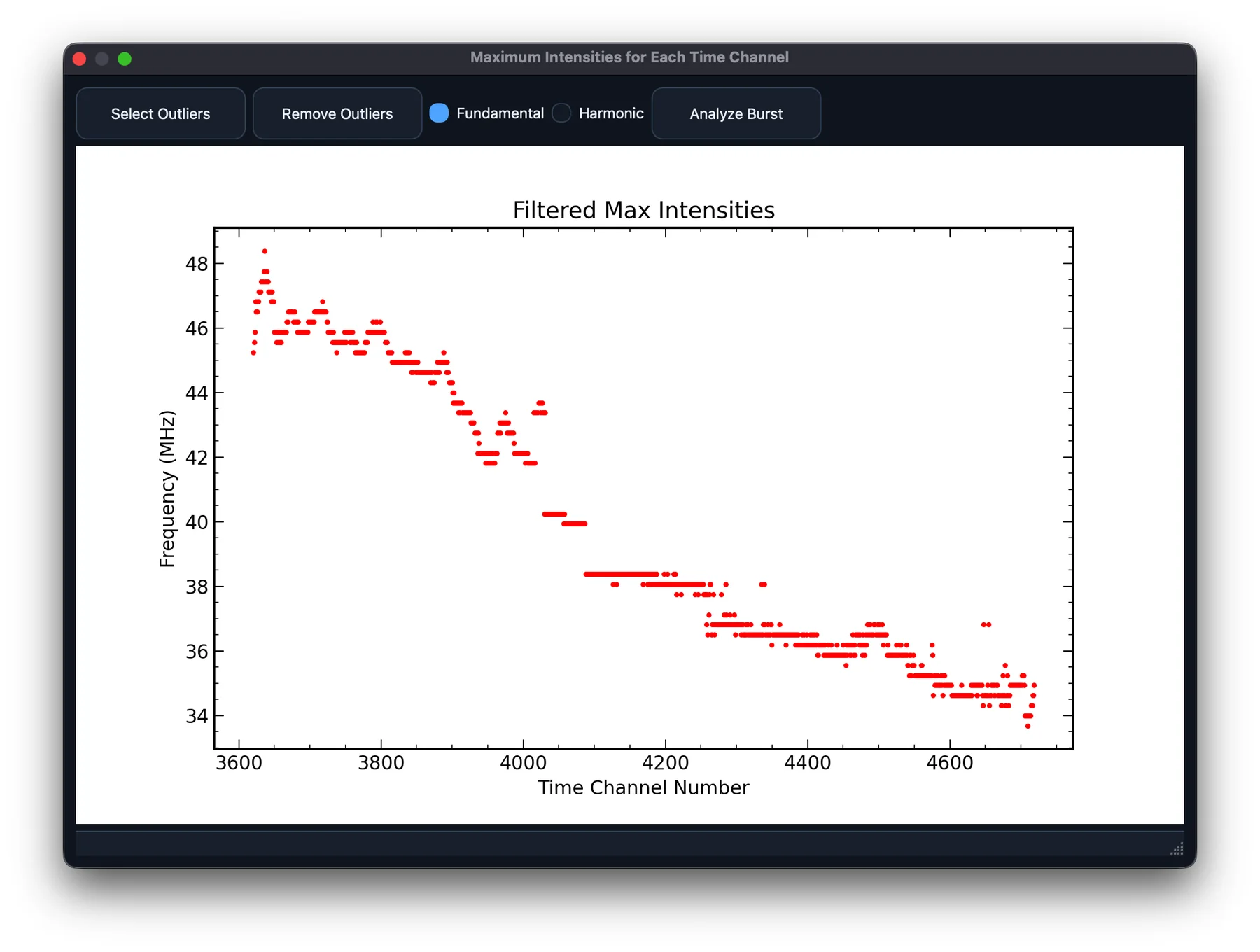
Inspect the track
Extract maximum intensities. Remove obvious interference and outliers. In v3.1.0, try Track Ridge and Pick Start when per-column maxima jump between features.
Fit and compare
Open Analyze Burst. Inspect the fitted track over the observation. In v3.1.0, explicitly choose the time origin and compare density models. Document the fold multiplier and emission assumption.
Report the limits
Export the results and provenance. Drift is measured in frequency versus time; a derived speed additionally depends on the emission assumption and density model. Do not report a fit as a model-independent speed.
Continue exploring
Consult the user guide for every control and method, or ask about your workflow in GitHub Discussions.